Chords on the words
Change a lyric without chasing the chords around the page. They stay with their words, and you can hear the song in another key.
More about lyrics and chordsWrite lyrics with chords that stay in place as the words change. Keep rough recordings alongside your verses, and find anything you saved in Ideas by describing what you remember. Your work stays on your computer.
Free, with unlimited songs and no account to create.
Change a lyric without chasing the chords around the page. They stay with their words, and you can hear the song in another key.
More about lyrics and chordsA line comes to you in the middle of something else. New Idea opens with a keyboard shortcut and saves your words or a quick hum to Ideas.
More about voice memos and ideasYou remember the idea, but not the line. Describe it in Ideas to find your note without needing the exact words.
More about voice memos and ideasTry a chord and hear it on piano or guitar while you write. Pro Loop a section’s chords while you sing over them.
More about chord progressionsCraft’s Words panel gives you rhymes beside your lyrics. Pro Explore longer and less common near rhymes, including matching lines you’ve already saved in Ideas.
More about the rhyming dictionaryA fresh look helps when you’ve been working on the same verse. Craft’s Review shows syllable counts and rhyme patterns. Pro See notes on lines or chord changes worth reconsidering.
More about the syllable counterSave a milestone before a rewrite, with the whole song ready to restore. Pro Keep two choruses side by side and switch between them.
More about lyrics and chordsYour existing songs belong here too. Import them with chords still on the right words, along with old voice memos that keep their original dates.
More about importing your songbookKeep the part worth hearing again without searching through a whole recording. Mark it during a session, then keep that part, audio included, in Ideas.
More about voice memos and ideasThe middle of “Forty miles of two-lane gone” changes. G stays over “Forty” and D stays over “gone.”
A line typed, then a few seconds hummed. Both are saved to Ideas without filing.
A search for “somebody waiting for someone at home” finds “The dog still waits by the door you used.” The search runs on your computer.
Try chords beneath “somehow” and hear each one. E minor is placed on the word.
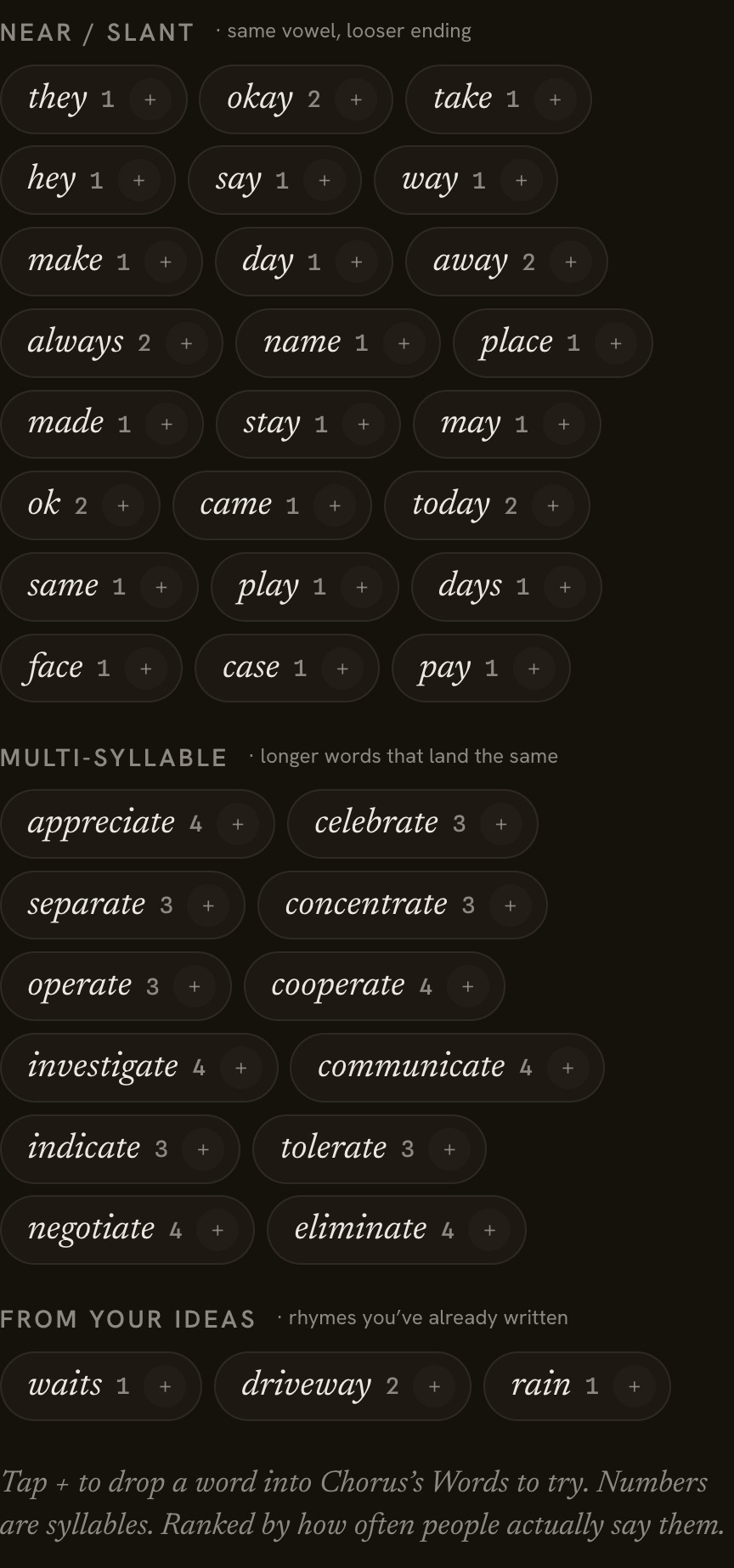
Pro Rhymes for “late” in Craft’s Words panel include longer and near rhymes, with matching lines from your Ideas.
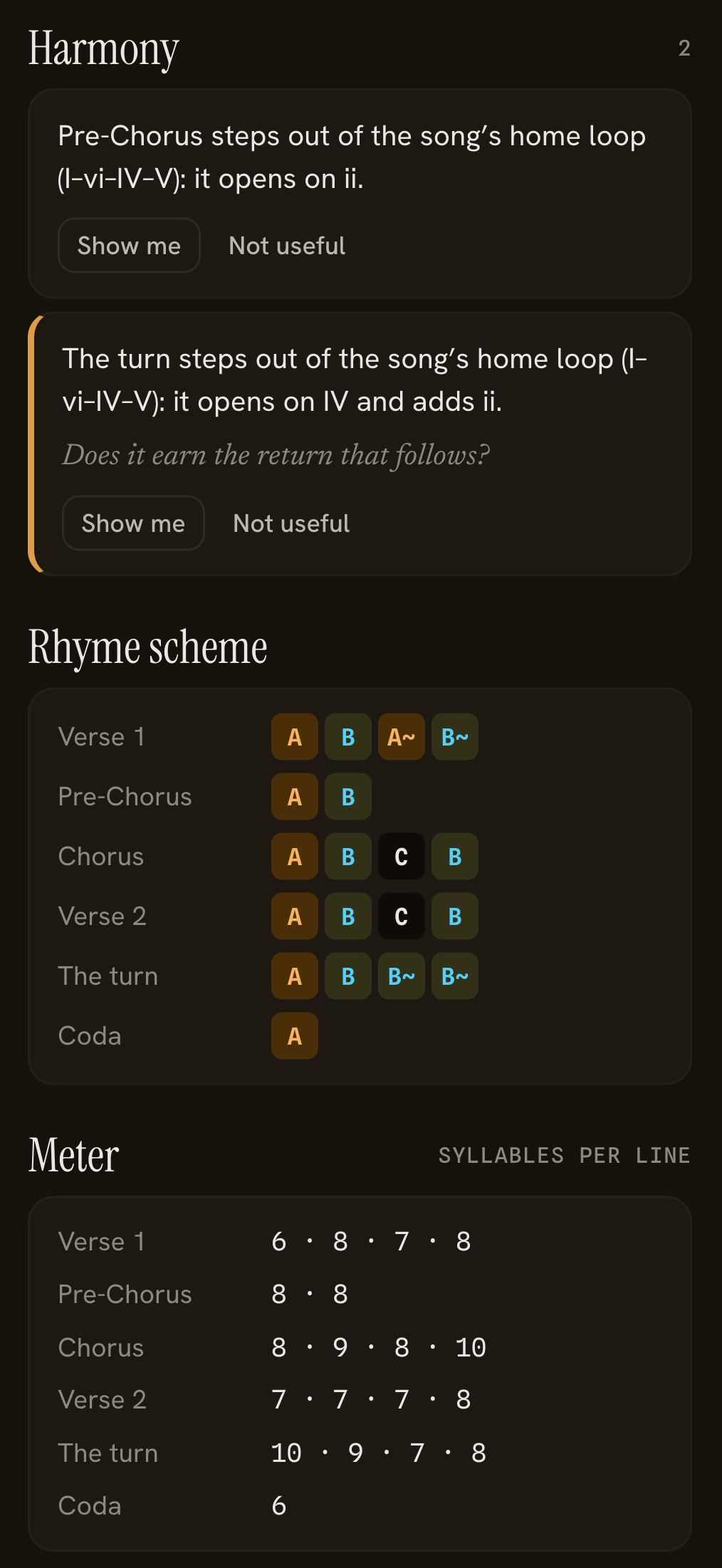
Rhyme patterns and syllable counts appear beside the draft. Pro Two sections are flagged because their chords leave the song’s usual pattern.
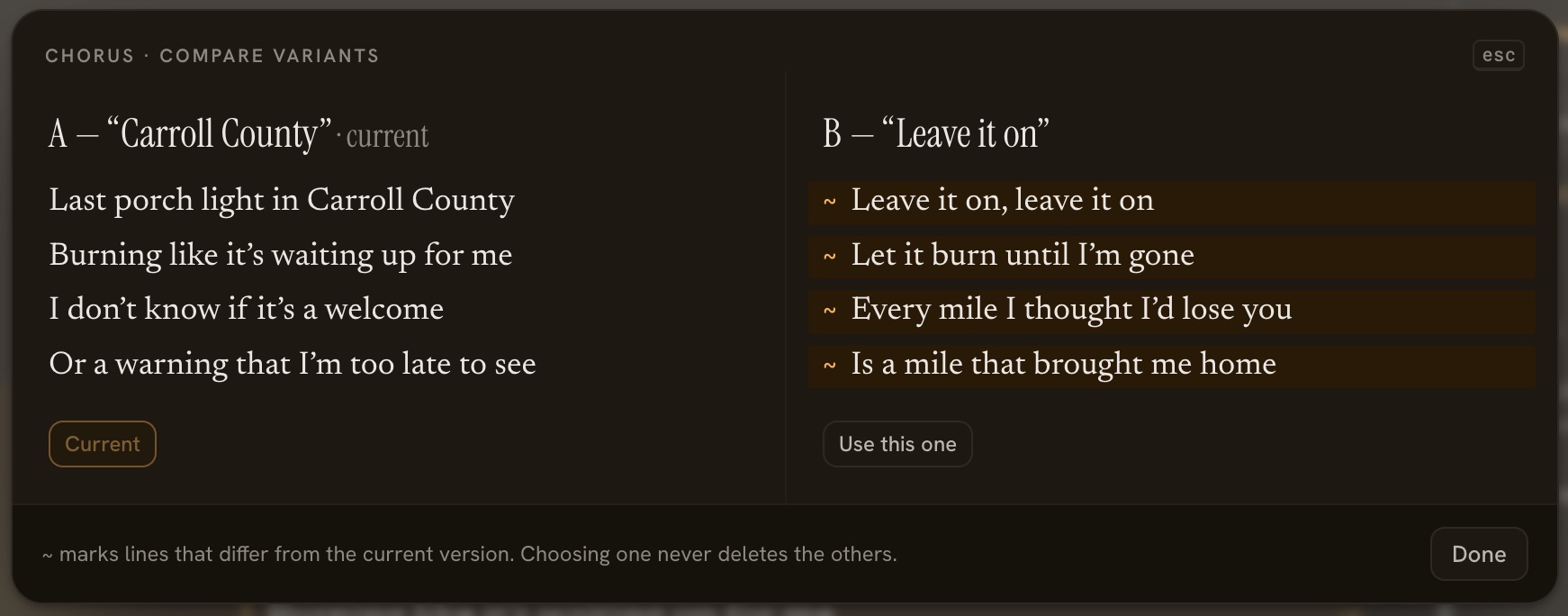
Pro Two choruses appear side by side, with their different lines marked. Both stay available.
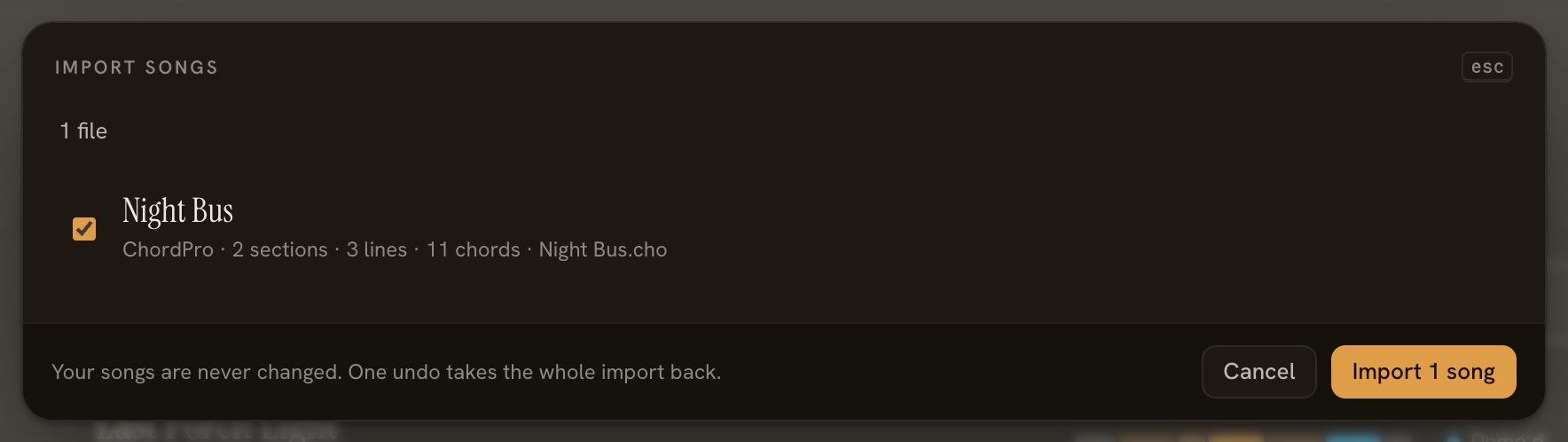
Four songs are ready to bring in, with each chord still above the word it belongs to.
Two marks made during a recording, ready to keep with their audio.
See how Sonetta Studio compares with Notes and Voice Memos, plus three other apps you may be considering for your songs.
Checked against each product’s own website in October 2026. If something here is out of date, tell us and we’ll fix it.
Try the full Pro version for 30 writing days during your first 60 days. Free keeps your songs and has no song limit. Pro is $49 once at the founder price, with no subscription.
Your lyrics, chords and recorded takes can live together on a song’s page. In Ideas you can find an unfinished line by describing its meaning, even if you can’t remember the words.
In a folder on your computer, which you can back up as one file. Sonetta Studio doesn’t create a cloud copy or require an account.
Yes. On Free or Pro, print your lyrics and chords, save them as a PDF or ChordPro file, or move a complete song with its recordings to another copy of Sonetta Studio. Pro also exports a melody lead sheet, MIDI, or a song in another key.
Not yet. Keep recording ideas on your phone and bring the voice memos into Ideas later. Their original dates come with them.
Sonetta Studio continues as Free. You get 30 writing days of Pro within 60 days of first opening the app, so days you don’t write don’t count toward the 30. Your songs still open, print and export with Free’s options. What each version includes →
Yes, in both versions. It answers questions about using Sonetta Studio, searches your Ideas and can make simple song changes after you approve each one.
Free, with unlimited songs. Pro is $49 once at the founder price. Version [x.y] · System requirements